

Examples
Inputs
Full input-only scripts for screenshot-friendly settings panels.
Same Line Appearance
Keep a few related appearance controls on one row.
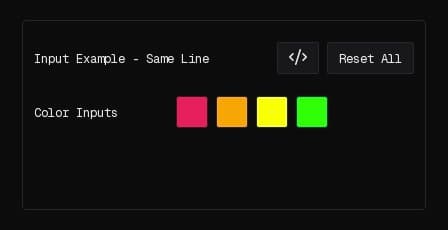
//@version=2
indicator("Input Example - Same Line", false);

const color1 = input.color("Color Inputs", color.red);
const color2 = input.color("2", color.orange, { sameLine: true });
const color3 = input.color("3", color.yellow, { sameLine: true });
const color4 = input.color("4", color.green, { sameLine: true });

function onBar() {}
Select With Conditional Inputs
Use input.select as the driver, then reveal only the settings that matter for the chosen mode.
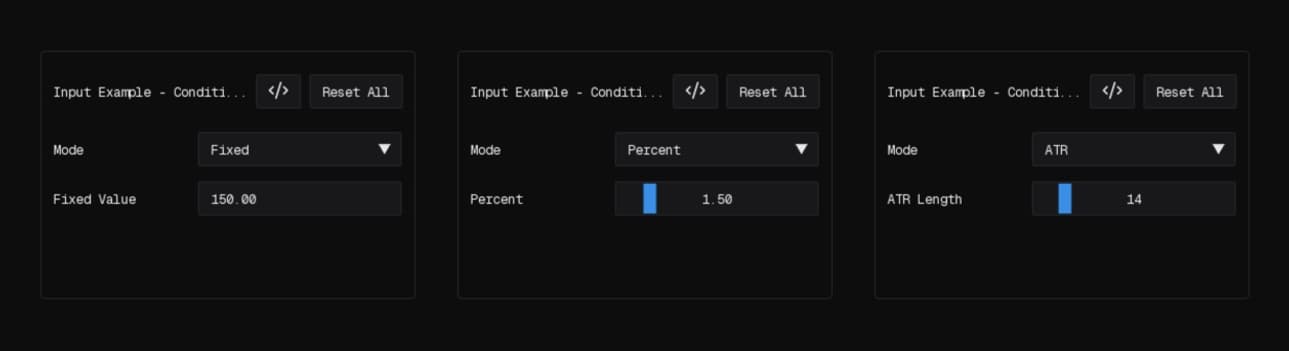
//@version=2
indicator("Input Example - Conditional Select", false);

const mode = input.select("Mode", 0, {
  key: "mode",
  selectables: ["Fixed", "ATR", "Percent"]
});

const fixedValue = input.float("Fixed Value", 150, {
  key: "fixed_value",
  min: 0.1,
  onlyIf: input.when("mode", "Fixed")
});

const atrLength = input.int("ATR Length", 14, {
  key: "atr_length",
  min: 1,
  max: 100,
  onlyIf: input.when("mode", "ATR")
});

const percentValue = input.float("Percent", 1.5, {
  key: "percent_value",
  min: 0.1,
  max: 10,
  onlyIf: input.when("mode", "Percent")
});

function onBar() {}
Timeframe and Exchange Pickers
Combine the client pickers you are most likely to screenshot together in one small script.
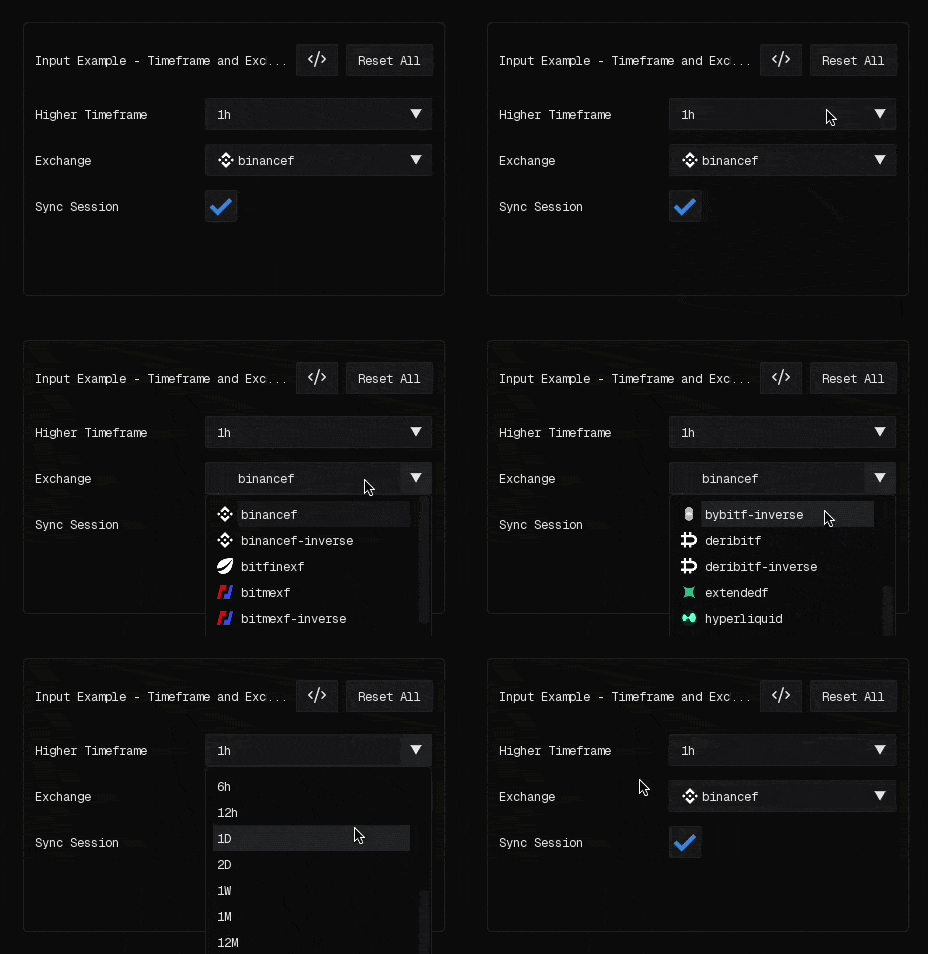
//@version=2
indicator("Input Example - Timeframe and Exchange", false);

const sourceTf = input.timeframe("Higher Timeframe", "1h", {
  key: "source_tf"
});

const exchange = input.exchange("Exchange", "binancef", {
  key: "exchange",
  required: true,
  filter: ["futures", "inverse"]
});

const syncSession = input.bool("Sync Session", true);

function onBar() {}
Multi-Exchange Selector
Show a compact multi-select layout with a couple of practical limits.
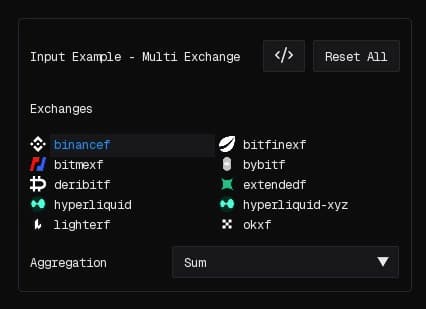
//@version=2
indicator("Input Example - Multi Exchange", false);

const exchanges = input.exchanges("Exchanges", ["binancef", "bybitf"], {
  key: "exchanges",
  required: true,
  minSelected: 1,
  maxSelected: 3,
  filter: ["futures"]
});

const aggregation = input.select("Aggregation", 0, {
  key: "aggregation",
  selectables: ["Sum", "Average", "Median"]
});

function onBar() {}
Full Layout Example
This one is still input-only, but it gives you a more realistic menu with tabs, groups, a section header, same-line colors, and conditional fields.
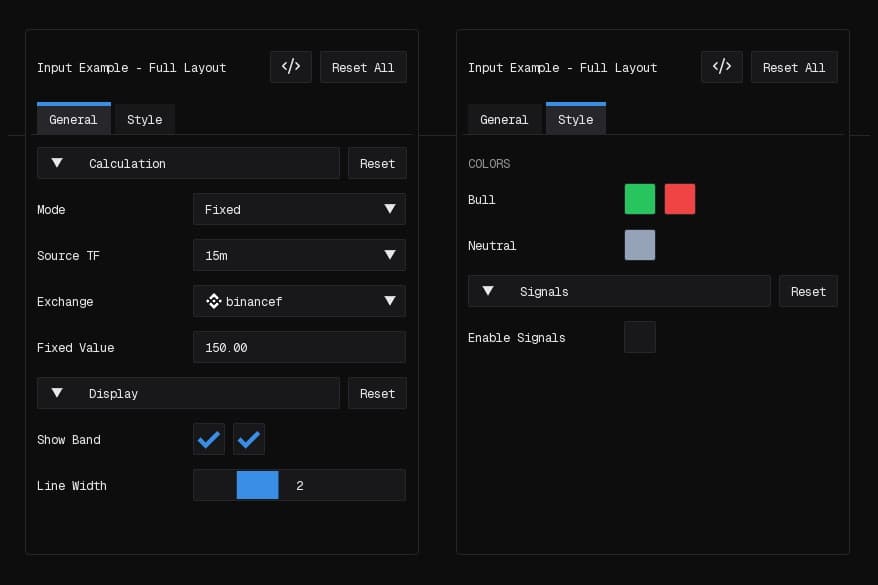
//@version=2
indicator("Input Example - Full Layout", false);

input.tab("General", { key: "tab_general" });

input.group("Calculation", {
  key: "calc",
  collapsible: true,
  collapsed: false
});

const mode = input.select("Mode", 0, {
  key: "mode",
  selectables: ["Fixed", "ATR", "Percent"]
});

const sourceTf = input.timeframe("Source TF", "15m", {
  key: "source_tf"
});

const exchange = input.exchange("Exchange", "binancef", {
  key: "exchange",
  filter: ["futures", "inverse"]
});

const fixedValue = input.float("Fixed Value", 150, {
  key: "fixed_value",
  min: 0.1,
  onlyIf: input.when("mode", "Fixed")
});

const atrLength = input.int("ATR Length", 14, {
  key: "atr_length",
  min: 1,
  max: 100,
  onlyIf: input.when("mode", "ATR")
});

const percentValue = input.float("Percent", 1.5, {
  key: "percent_value",
  min: 0.1,
  max: 10,
  onlyIf: input.when("mode", "Percent")
});

input.group("Display", {
  key: "display",
  collapsible: true,
  collapsed: false
});

const showBand = input.bool("Show Band", true, { key: "show_band" });
const showLabels = input.bool("Show Labels", true, {
  key: "show_labels",
  sameLine: true
});
const lineWidth = input.int("Line Width", 2, {
  key: "line_width",
  min: 1,
  max: 5
});

input.tab("Style", { key: "tab_style" });

input.section("Colors");

const bullColor = input.color("Bull", "#22c55e", { key: "bull_color" });
const bearColor = input.color("Bear", "#ef4444", {
  key: "bear_color",
  sameLine: true
});
const neutralColor = input.color("Neutral", "#94a3b8", {
  key: "neutral_color"
});

input.group("Signals", {
  key: "signals",
  collapsible: true,
  collapsed: false
});

const enableSignals = input.bool("Enable Signals", false, {
  key: "enable_signals"
});

const signalShape = input.select("Signal Shape", 0, {
  key: "signal_shape",
  selectables: ["Circle", "Diamond", "Arrow"],
  onlyIf: input.whenTrue("enable_signals")
});

const signalSize = input.int("Signal Size", 8, {
  key: "signal_size",
  min: 4,
  max: 16,
  onlyIf: input.whenTrue("enable_signals")
});

function onBar() {}